Now, it’s not that I am worried about some upcoming event (although the knee replacement could fit the bill) but this is the tale of me managing to brick my Mac Mini.
Recently, as per my previous posts, I have been dabbling with Microsoft Windows including running the alternative OS in a virtual machine on the aforementioned Mini. I also tried Parallels which is even better as it allows a lot of interaction between Windows and Mac OS.
If I was going to be running two OSs on the same device, I decided that I needed to make some room on the hard drive (technically an SSD). Examining the storage revealed something like 140GB of System Files. On an SSD of only 256GB this was a sizeable chunk.
I tried various methods but I couldn’t get rid of the files so, in the end, decided on a fresh install.
On recent Macs, you can wipe the machine and then reinstall the Operating System over the internet. I pressed the requisite buttons; the machine closed down … and that was it. The box just sat there with the power light flashing orange instead of the usual white. Oh dear !
A bit of googling revealed that my machine was in recovery mode i.e. not working.
To get my Mini working again, I needed to run a program called Configurator2 on another Mac. Not a problem as I have a couple of older machines lying around.
I chose another Mac Mini but when I tried to download Configurator2 from the App Store I was informed that I need to update the OS on that machine. This was not an option because of it’s age it is unable to run newer versions.
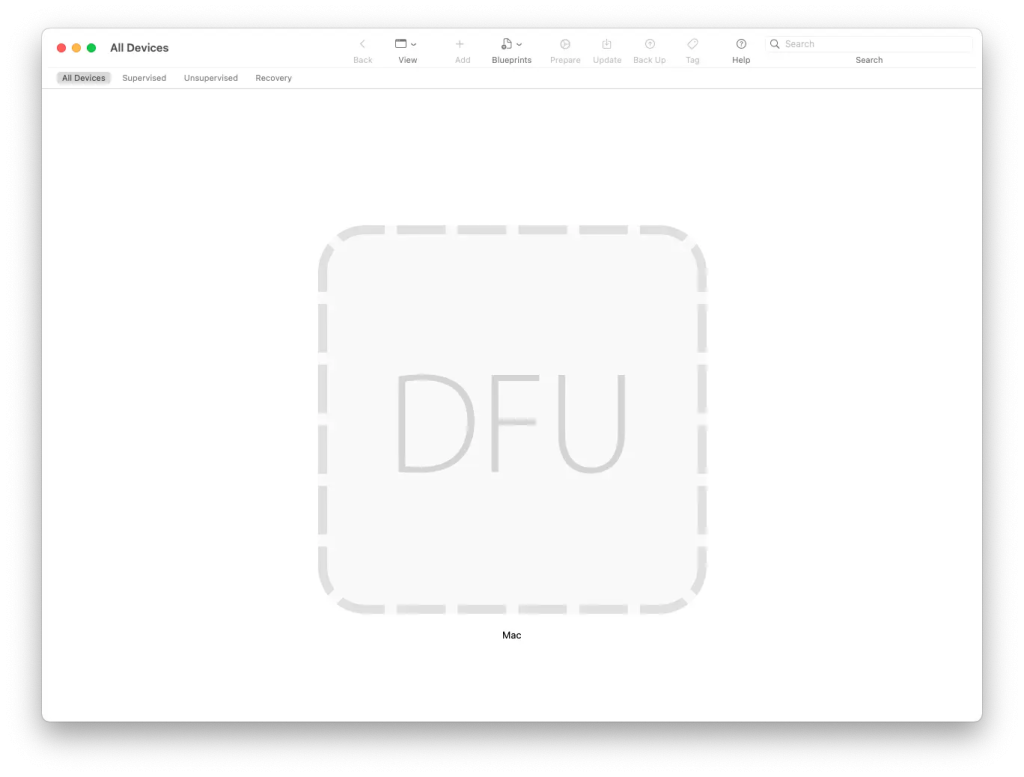
A bit of trawling around, bought forth an older version of Configurator that would run on my old Mini.
With my two Minis connected with a suitable USB cable, I ran the app. All seemed to be going fine until it came to the stage where the new OS needed to be transferred to the poorly device. Ah, more research told me that I needed to put my newer Mini into Device Firmware Update (DFU) mode.
Depending on the device, there are different ways to put a Mac into DFU but on my machine, I had to hold the power button as I plugged in the mains.
Configurator showed my defective machine was indeed in DFU mode so I ran everything again. This time, after about half an hour, I heard the welcome chime as my trusty machine sprang back into life. Hoorah !
I had a pleasant surprise when the desktop appeared as the latest OS (Tahoe) had been installed. Taking cues from the iPad OS the new environment looks a lot like a big iPad. The tablets and desktops are converging.
I spent a while reinstalling my most used apps (Lightroom, Orca Slicer) and seeing everything up.
I enjoyed my dalliance with Windows but I’m back in the Apple world. Anyone want to buy a Windows machine ?